
Manager Guide: Getting Sponsored at our Luncheon Trade Show Events
Managers who would like to attend as a sponsored guest of arranged by the chapter must have a current membership with our chapter.
Here's how to register:
- Step 1: Log into InfoHub
- Log in using your InfoHub account.
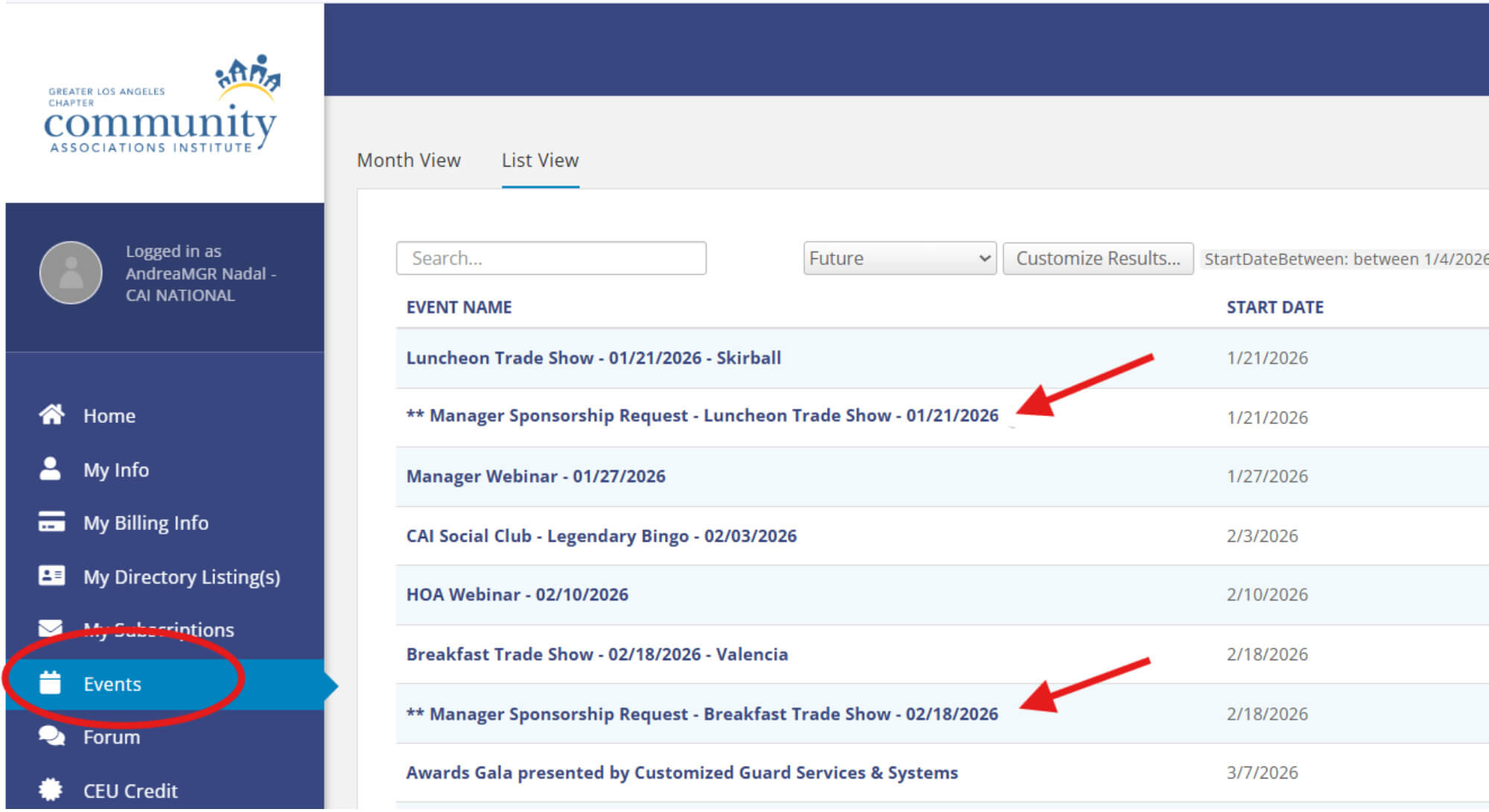
- Step 2: Go to the Events Tab
- Once logged in, click on Events in the left-hand menu. (See image below)
- Step 3: Select the Sponsorship Request Event
- Look for the event titled:
** Manager Sponsorship Request – Luncheon Trade Show
- Step 4: Complete the Registration
- Follow the prompts to submit your sponsorship request.
- Step 5: Sponsorship Matching
- After you register, we’ll pair you with a Business Partner sponsor.
- Once matched, you’ll receive a confirmation email. Event details and table assignments will be shared closer to the event date.
Prefer to Pay and Attend on Your Own?
If you’d rather purchase your own ticket, register through the main event listing in the Events tab instead of the sponsorship request event.
An Important Reminder
When you register to be sponsored, a Business Partner is covering the cost of your ticket so they can meet you and build a professional connection.
Please only register if you plan to attend.
Last-minute no-shows or giving your spot to someone else puts sponsors in a tough position and is strongly discouraged.
If you need help, please email memberservices@cai-glac.org