
How to Access the InfoHub

Create an account on the website.
Please note that your login for the CAI-GLAC website is not the same login for the CAI headquarters website.
- Visit our website: cai-glac.org
- Click on "Member Login" at the top right corner.
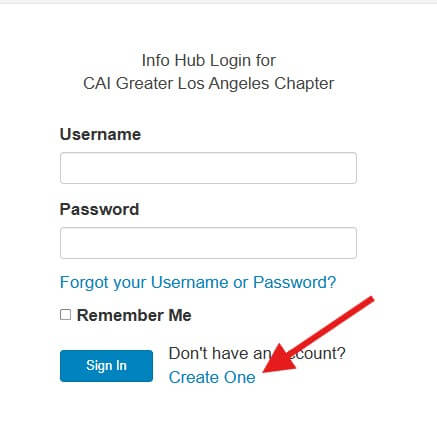
- On the login page, click the "Create One" link to set up a new account.
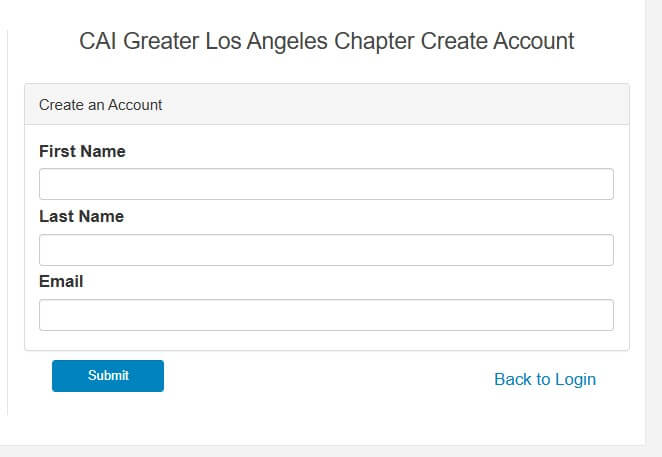
- Use your work email or the email provided to the chapter and it will automatically match you to your record in our database.
See images below:
Once logged into the Chapter InfoHub, you will have access to the following information:
- Your Profile / Membership Status
- Member Directory
- CEU Credits
- Event Registration
- Billing Information
Resources & Links:
- Access CEU Credits
- Education & Credentialing
- Register for Events
- Chapter Blog
- Marketing Opportunities
If you need help, please email memberservices@cai-glac.org